Canvas Apps has a confirm dialog now!
Canvas Apps are still receiving new features, and this one is potentially a really good one. Prior to this, it was impossible to have a pop-up confirmation that was accessible, unless you used a PCF component.
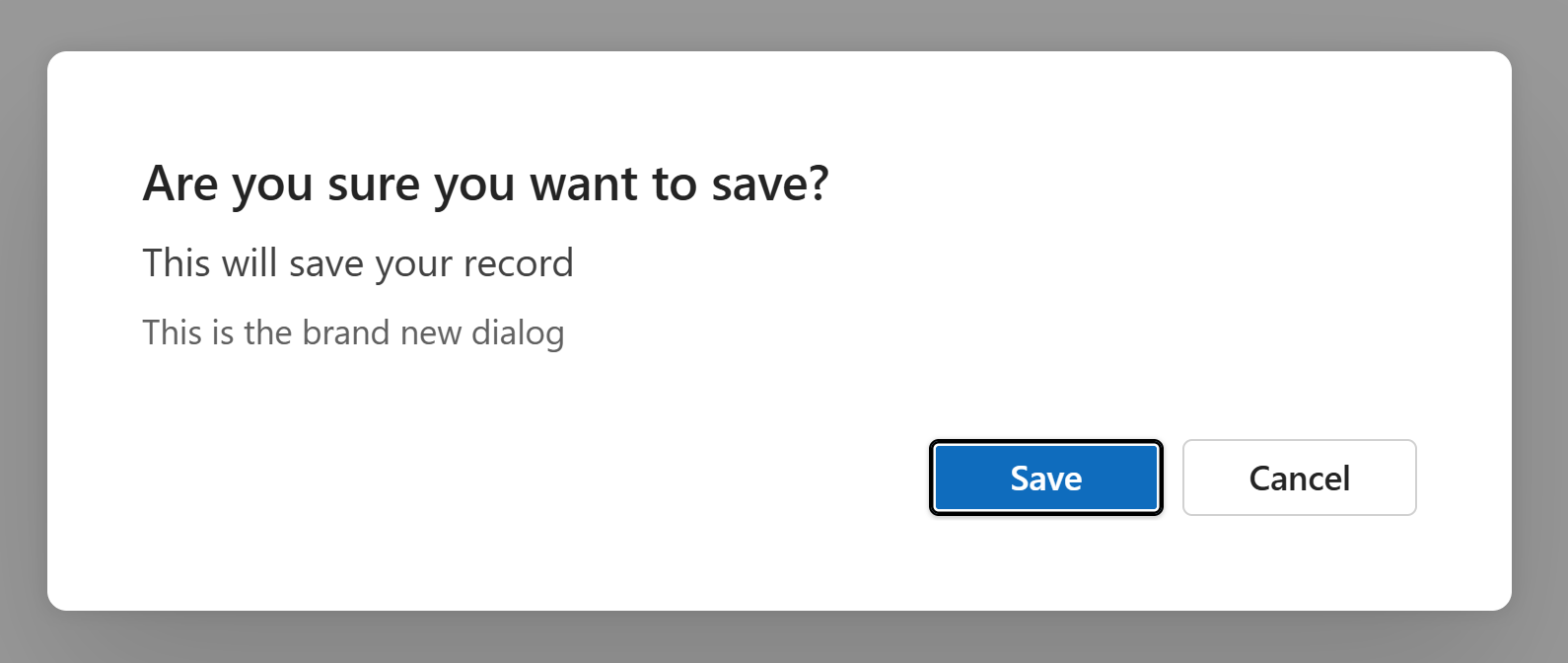
Well, now we have this nice Fluent UI dialog:
How to use
A small amount of Power Fx is required to launch the dialog modal. At its most basic, this is all that's required.
Confirm("This is the brand new dialog")That would usually be put in the OnSelect of a button. If you want to get more fancy with the details, there's an options record that you can provide to customise it a bit.
Confirm(
    "This is the brand new dialog",
    {
        Title: "Are you sure you want to save?",
        Subtitle: "This will save your record",
        ConfirmButton: "Save",
        CancelButton: "Cancel"
    }
)- Title: The biggest bit of text that's in bold
- Subtitle: Slightly smaller and a bit grey, below the title. The body text goes below this and is even smaller and even more grey. A somewhat strange choice.
- ConfirmButton: What the confirm (primary) button displays
- CancelButton: What the cancel (secondary) button displays
The Confirm() function returns true if the user selects the confirm button, and false if they select the cancel button. So your formula is more likely to be something like this:
If(
    // Call the dialog
    Confirm(
        "This is the brand new dialog",
        {
            Title: "Are you sure you want to save?",
            Subtitle: "This will save your record",
            ConfirmButton: "Save",
            CancelButton: "Cancel"
        }
    ),
    // True
    Notify("Your record was saved"),
    // False
    Notify("Your record was NOT saved")
)
Accessibility
It's not accessible yet. It doesn't work properly with screen readers as it doesn't read out the dialog title. It only reads out the buttons, which is very confusing.
Update: It appears to work properly with screen readers now! Nice!
In addition to that, the colours can't be changed for the buttons, so this is no use with destructive actions, like a deletion confirmation.
Final thoughts
This is potentially a great new feature for Canvas Apps, filling a gap that didn't have a low code solution, but it needs to be made accessible before it's adopted. That's one of the main reasons for having a native dialog like this in the first place.
Comments